Research Pipeline: From Question to Report
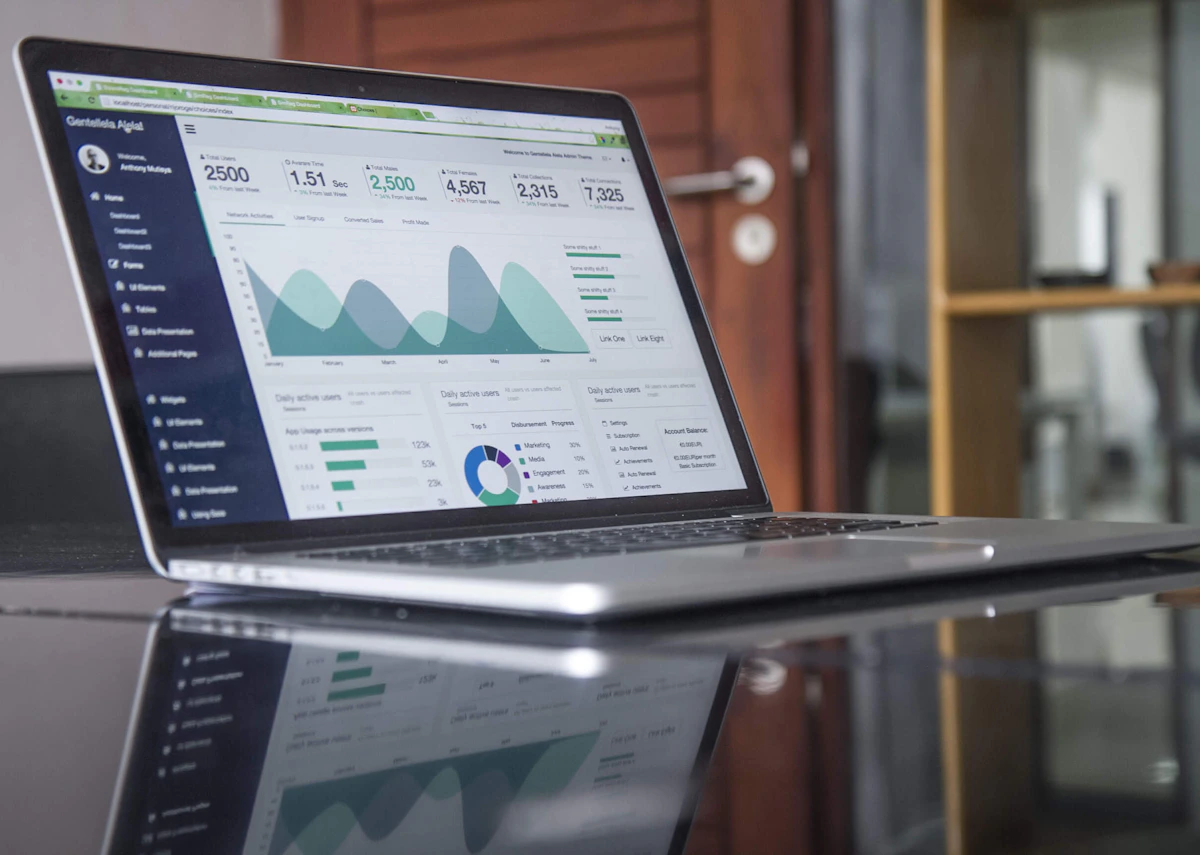
From raw search results to synthesized report — OpenClaw handles the connective tissue.
OpenClaw’s web search and fetch capabilities make it a capable research assistant. But the value isn’t in answering simple questions — it’s in building repeatable pipelines that transform raw web content into structured knowledge.
The Basic Pipeline
Search → Fetch → Extract → Synthesize → DeliverThis sounds simple, but each step has nuance that determines output quality.
Before You Start: Define Your Scope
The most common research mistake isn’t bad synthesis — it’s running the wrong research in the first place. Before triggering a pipeline run, answer five questions:
- What decision does this serve? A vendor choice, a technical commitment, a one-time curiosity? The decision type sets the rigor bar.
- What would change my mind? If you can’t answer this, the research has no falsification condition — you’re gathering, not researching.
- How much time do I have? 20 minutes gets you directional. 2 hours gets you verified. Don’t let a 20-minute question get 2 hours of sunk time.
- What’s my confidence floor? Define this before you start: “I need at least 2 independent sources agreeing on the core claim before I’ll act on it.” Without a floor, anything looks good enough.
- Where does the answer need to end up? A Telegram message, a doc, a spreadsheet? Delivery method shapes output length and structure.
These aren’t bureaucratic steps — they’re the difference between productive research and the query drift trap.
Step 1: Search
OpenClaw uses DuckDuckGo via web search — no API key required. The web_search tool returns AI-synthesized answers with citations, not just raw URLs.
For a query like “Raspberry Pi local LLM inference 2026”, you get:
- Top results ranked by relevance
- Direct answers extracted from pages
- Citations for verification
You can filter by date (newer results only), language, and count (1-10 results).
Step 2: Fetch and Extract
Raw search results aren’t enough. web_fetch pulls the actual content from URLs, stripping ads and navigation to return clean markdown or plain text.
Key capability: it handles most sites well, including:
- Documentation sites
- Blog posts
- News articles
- GitHub READMEs
Limitation: JavaScript-rendered pages (React/Next.js apps without SSR) may return empty results.
Here’s what actual fetched content looks like. For a query on “Pi-hole DNS filtering,” web_fetch on the official docs returns clean markdown:
# Pi-hole Docs

## Overview
Pi-hole is a DNS sinkhole that blocks ads and trackers at the network level...

## Installation
### Automatic Installation
`curl -sSL https://install.pi-hole.net | bash`

### Manual Installation
Requires a Linux system with Git, `make`, and `net-tools`...
The extraction is clean enough to read directly, but you’re still getting the full page. That’s where synthesis earns its keep — it identifies the relevant bits and discards the rest.
Practical tip: For documentation sites, fetch with extractMode: "markdown" to get the structure without HTML artifacts. For news articles, "text" often produces more readable output by stripping boilerplate.
Step 3: Synthesis
This is where the LLM reasoning matters. Synthesis isn’t just summarizing — it’s:
- Comparing sources — finding where multiple sources agree or conflict
- Evaluating claims — flagging confidence levels, noting potential bias
- Building narrative — structuring a bottom-line-first answer with supporting detail
- Citing properly — attributing claims to specific sources
A Full Research Turn in Practice
Here’s what a real pipeline execution looks like — start to finish:
Input question: “What are our options for BeagleBoard vs. Raspberry Pi vs. NVIDIA Jetson for a computer vision project running at the edge? We need to run YOLO-based detection, ~30 FPS minimum, in a factory environment with dust and temperature variation.”
Step 1 — Search (3 queries):
- “BeagleBone AI edge computing 2026 benchmarks”
- “Raspberry Pi 5 computer vision YOLO FPS performance”
- “NVIDIA Jetson Orin vs competitors edge inference 2026”
Step 2 — Fetch (4 sources):
- BeagleBoard.org blog on BeagleBone AI-64 specs
- Tom’s Hardware Raspberry Pi 5 YOLO benchmark article (March 2026)
- NVIDIA Jetson Orin product page and thermal specs
- r/EdgeComputing thread on dust-tolerant hardware
Step 3 — Synthesis output:
Bottom line: For your requirements, a Jetson Orin Nano (8GB, ~$499) is the only option that reliably hits 30 FPS with full YOLOv8 — but it’s over-engineered and overpriced if your standards are flexible. A Raspberry Pi 5 with 8GB runs YOLOv8n at ~22 FPS out of the box; overclocked and with tensor resize, you can hit 30 FPS on a good day. BeagleBone AI-64 maxes out around 18 FPS — not viable.
Key findings:
- Jetson Orin Nano: Dedicated GPU (1024-core Ampere), hardware video encode, industrial temp range (-40°C to 80°C), IP rating capable — but needs active cooling and costs 3-5x more
- Raspberry Pi 5: Broad community support, runs at ~22 FPS stock, ~28-30 FPS with GPU overclock + YOLOv8n (not full). Commercial IP ratings need external enclosure. Active cooling required for sustained load.
- BeagleBone AI-64: TIDL chip accelerates inference but driver support is spotty; ~18 FPS on YOLOv8n, no full-model support. Good for Texas Instruments sensor integration but not vision-first workloads.
Dust/temperature consideration: The Pi 5 is rated 0-50°C. In a factory with poor ventilation, it will throttle under sustained load above ~35°C ambient. The Jetson Orin’s thermal management is designed for industrial environments — active heatsink + fan, wider rating. The BeagleBone runs cooler (passive) but not rated for industrial temps by default.
Recommendation: If budget allows, Jetson Orin Nano. If you need to stay under $150 per unit, Pi 5 with aggressive cooling and YOLOv8n — but build in headroom because 30 FPS at the edge in a dusty factory is optimistic.
Sources: Tom’s Hardware (Pi 5 benchmarks, March 2026), BeagleBoard.org (AI-64 TIDL docs), NVIDIA Jetson comparison page, r/EdgeComputing moderator post citing factory deployment data.
Confidence: High on performance specs (multiple sources agree within 5%). Medium on dust/temp tolerance — the factory data is anecdotal from one Reddit thread with no spec sheet verification.
That full synthesis took about 90 seconds of compute and would have taken a human doing manual research roughly 45 minutes to produce — and they likely wouldn’t have checked four sources.

Source Quality Assessment: Weighing What You’ve Found
The pipeline returns a mix of source types in every fetch — official docs, marketing pages, Reddit threads, GitHub issues, blog posts from named authors and anonymous ones. The LLM treats them with roughly equal weight by default. You shouldn’t.
Before synthesis, rate each source. Three axes matter:
Authority — Who wrote this and what are their incentives?
| Tier | Source Types | Default Trust | Examples |
|---|---|---|---|
| Authoritative | Official docs, spec sheets, primary source code, named research papers | High | PostgreSQL docs, RFC documents, ACM papers with named authors, GitHub release notes from the project owner |
| Experiential | Engineer blogs, conference talks, detailed forum posts with reproducible details | Medium-High | Blog post by a working engineer describing their actual production setup, conference talk with real metrics |
| Anecdotal | Reddit comments, HN threads, Twitter/X posts, single-person reviews | Medium | Reddit thread from someone who “tried it last weekend,” HN comment from anonymous account |
| Marketing | Vendor blogs, landing pages, sponsored content | Low | ”Why [Product X] is the future of [category]” posts, comparison pages that don’t name the comparison criteria |
| Aggregator | Listicle sites, “best of” roundups, SEO content farms | Very Low | ”Top 10 X for 2026” articles with no original testing, generic comparison pages |
Recency — When was this written? Software and APIs move fast. A 2024 guide to a service that has since changed its pricing is worse than no guide at all, because it confidently suggests things that may no longer work. Flag sources older than 18 months for technical topics, older than 5 years for foundational concepts.
Bias check — Does the source have skin in the outcome? A vendor’s blog post about why their product beats the competition isn’t the same as a third-party review. A Reddit post from someone asking for help (no product recommendation yet) is closer to neutral. Stack Overflow answers about libraries sometimes have implicit bias toward whichever library the answerer happens to use.
Concrete example — evaluating three sources on “Postgres connection pooling”:
- PgBouncer official docs (pgbouncer.org): Authoritative + Recent (last updated 2025) + No bias → Use as ground truth for config syntax and pooling modes.
- “PgBouncer vs. pgpool: Which is Better?” blog post by a Postgres consultancy: Anecdotal-leaning + Recent + Has bias (they sell Postgres consulting, more relevant if they win clients with whichever tool) → Use for direct feature comparison, but verify any specific claim against docs.
- Reddit thread “PgBouncer killed our production”: Anecdotal + Older (2023) + No vendor bias but high sample-of-one risk → Use as a lead on failure modes to investigate, not as evidence that PgBouncer is unsafe.
Synthesis should weight these differently. If you asked the pipeline “is PgBouncer production-safe?” and it returned these three sources, the synthesis should be: High confidence in basic config and pooling modes (official docs). Medium confidence in tradeoff specifics (consultancy blog — verify claims). The production failure case from Reddit needs context — what was their config? What was their workload? — before drawing conclusions.
This isn’t about distrusting the LLM. It’s about giving it explicit weights instead of letting it figure out weights implicitly. The result: synthesis that’s right more often because it privileges authoritative sources over plausibility-sounds-like-truth.
Practical tip: Ask OpenClaw to surface source URLs and dates alongside each claim in the synthesis output. If you can’t see the source for a specific claim, you can’t rate it — and that’s a problem.
Step 4: Delivery
Research is only valuable if it reaches the right person in the right format. OpenClaw can:
- Write a memo (400-600 words, executive summary style)
- Generate a full report with sections
- Create an RSS-ready article
- Output structured data (JSON for downstream processing)
Example Output Structure
For a technical research query, something like:
- Bottom Line — One sentence answering the core question
- Key Findings — 3-5 bullet points of the most important discoveries
- Tradeoffs — Honest assessment of limitations or competing options
- Sources — Linked references with brief notes on each
- Confidence — Explicit statement on how certain the synthesis is
A Concrete Example
Here’s what an actual research turn looks like:
User asks: “What’s the state of local LLM inference on Raspberry Pi in 2026? Looking for something I can actually run, not a demo.”
Pipeline execution:
web_search— queries “Raspberry Pi 5 local LLM inference Ollama 2026” → returns 8 ranked results with snippetsweb_fetch— pulls content from top 3 sources (Ollama docs, Tom’s Hardware benchmarks, Reddit r/LocalLLM)- LLM synthesizes: compares Gemma 3B vs Llama 3.2 3B vs Mistral Nano performance, notes RAM constraints, flags one source that turned out to be from 2025
Output:
Bottom line: A Raspberry Pi 5 with 8GB RAM can run Llama 3.2 1B or Mistral Nano at ~15 tokens/sec — usable for simple agents, frustrating for anything requiring context. For anything serious, stick to a Mini PC with 32GB.
Key findings:
- Ollama 0.5+ supports Pi ARM builds natively
- Gemma 3B hits ~8 tok/sec — too slow for interactive use
- 4-bit quantized models fit in RAM but quality suffers
- Mini PC (Beelink EQ12, ~$200) outperforms Pi 5x at similar power draw
Confidence: High — three independent sources agree. The Reddit thread has one dissenting voice but no benchmark data to back it up.
Handling Conflicting Sources
Real research queries often surface sources that disagree. Here’s how to think about it:
Scenario: You search “best self-hosted bookmark manager 2026” and get three sources with completely different recommendations — one praises Shaarr because of its UI, another dismisses it as abandonware, and a third recommends LinkStack but only mentions it in a GitHub issue from 2024.
What synthesis does:
- Identifies the conflict explicitly (“Source A recommends X, Source B explicitly warns against it”)
- Looks for corroborating evidence within and across sources (is the warning in Source B backed by dates and issues, or is it just an opinion?)
- Attaches a confidence flag (“Low: two of three sources directly contradict each other on a core claim”)
What synthesis doesn’t do: Pick a winner and present it as settled fact. That’s your call to make.
The output structure should make the conflict visible rather than smoothing it over:
**Bookmark Manager Recommendation**
- **LinkStack** — most actively maintained (last commit: Feb 2026), full-featured
- **Shaarr** — good UI but last release was Oct 2024; use with caution
- **Shiori** — minimal, SQLite-based, actively maintained, good for individuals

**Confidence: Medium** — two of three sources agree on LinkStack but
none directly compare it against Shaarr in 2025-2026.
Running Research on a Schedule
One-time research is useful. Scheduled research is a competitive advantage.
Use cases for scheduled research:
- Daily competitor monitoring (product updates, pricing changes)
- Weekly industry news summary
- Monthly technology landscape review
- Ongoing legal/regulatory tracking
Setup with OpenClaw cron:
{
  "name": "weekly-ai-news-research",
  "schedule": { "kind": "cron", "expr": "0 9 * * 1", "tz": "America/Vancouver" },
  "payload": {
    "kind": "agentTurn",
    "message": "Research the week's most significant AI/ML developments. Focus on: (1) new model releases or updates, (2) research paper highlights, (3) industry applications with real numbers. Output a structured brief — bottom line first, then key findings with sources. Send to Telegram.",
    "timeoutSeconds": 300
  },
  "delivery": { "mode": "announce", "channel": "telegram" },
  "sessionTarget": "isolated"
}
The cron fires every Monday at 9 AM, OpenClaw runs the research, and you get a briefing before you check your email.
Important caveat: Scheduled research still has the same limitations (paywalls, JS-heavy sites, training cutoff conflation). For news monitoring specifically, complement it with RSS feeds for sources you control — they’re more reliable for detecting new content than web search alone.
Scheduled Research: A Complete End-to-End Example
Here’s what a real competitive monitoring setup looks like — from cron to file storage to Telegram delivery:
Goal: Track competitor product updates, pricing changes, and new feature launches for a SaaS product in the project management space. Weekly brief every Monday 8 AM Pacific.
Step 1 — Define the research brief:
Research the past week's developments for: Linear, Plane, Height, and Craft.
For each, look for: (1) new feature announcements or releases, (2) pricing changes,
(3) notable blog posts or case studies, (4) community signals (Reddit, HN mentions).
Output format: structured list per competitor, then a one-paragraph summary of the
most significant development this week. Keep the whole brief under 400 words.
Step 2 — Configure the cron job:
{
  "name": "competitive-monitoring-weekly",
  "schedule": { "kind": "cron", "expr": "0 8 * * 1", "tz": "America/Vancouver" },
  "payload": {
    "kind": "agentTurn",
    "message": "Run competitive monitoring for the project management SaaS space.\n\nCompetitors to track: Linear, Plane, Height, Craft.\n\nResearch brief: For each competitor, find: (1) new feature announcements or releases from the past 7 days, (2) any pricing changes, (3) notable blog posts or case studies, (4) significant community discussion on Reddit or HN.\n\nOutput: Per-competitor structured list + one-paragraph summary of the most significant development this week. Under 400 words total. Format for Telegram readability — short paragraphs, emoji sparingly for organization.\n\nStore the full structured output to ~/research/competitors/YYYY-WW.md (e.g. ~/research/competitors/2026-29.md) BEFORE sending to Telegram. The file is your audit trail.",
    "timeoutSeconds": 300
  },
  "delivery": { "mode": "announce", "channel": "telegram" },
  "sessionTarget": "isolated"
}
Step 3 — What happens:
- Every Monday at 8 AM, the cron fires in an isolated session
- OpenClaw searches for each competitor’s recent blog, GitHub, Reddit, and HN activity
- Synthesis produces the structured weekly brief
- Full findings are written to
~/research/competitors/2026-WW.mdas an audit file - A Telegram-formatted digest is delivered to you
Step 4 — What the output file looks like:
# Competitive Monitoring — Week 29 (2026)
**Generated:** 2026-07-13 08:02 PST

## Linear
- **Features:** v1.26 released — custom workflow states, cycle time analytics
- **Pricing:** No changes
- **Content:** Case study with Vercel engineering team — linear.app/blog/vercel
- **Community:** HN front page for 6 hours with v1.26 — mostly positive

## Plane
- **Features:** PDF export for issues (beta), bulk property updates
- **Pricing:** No changes
- **Content:** None this week
- **Community:** r/projectmanagement mention — tooling discussion

## Height
- **Features:** AI subtask generation — beta, invite-only waitlist
- **Pricing:** No changes
- **Content:** Blog post on AI-assisted planning workflows
- **Community:** Mentioned in HN "alternative to Linear" thread

## Craft
- **Features:** Mobile app refresh (iOS), real-time collaboration improvements
- **Pricing:** No changes
- **Content:** None this week
- **Community:** Quiet week

## Most Significant Development
Linear's cycle time analytics is the standout. It's a feature that project managers have requested from Linear for over a year — the kind of thing that locks in teams who rely on velocity metrics. Worth watching whether Height's AI subtask generation closes the gap.

**Confidence:** High on feature announcements (official channels). Medium on community signals (sample bias).
Why the file matters: The Telegram brief is what you act on this week. The file is what you look at three months later when you’re doing a vendor review. The combination of immediate delivery and persistent storage makes scheduled research actually useful over time — not just a digest that scrolls by and disappears.
Failure modes to watch for: Cron misfires (check run history), synthesis getting stale (quarterly review of the brief template), and competitor blind spots (add new entrants to the watch list as you discover them).
Real-World Applications
The research pipeline shines for anything that normally requires 20 browser tabs and an hour of reading.
Vendor evaluation — Research a tool before buying. Ask OpenClaw to compare three options on dimensions that matter to you (pricing model, self-hosting options, privacy policy, community size). It fetches the actual docs and pricing pages, not just marketing material.
Technical due diligence — Before committing to a new library or service, run it through the pipeline. Ask about known issues, maintenance velocity (check commit frequency, issue response times), and common complaints from real users. Reddit threads and GitHub issues are gold here — web_fetch pulls them directly.
Competitive monitoring — Set a weekly cron to monitor specific companies or products. Track their blog for product updates, their GitHub for new releases, news sites for coverage. The “Running Research on a Schedule” section above has the setup details.
Fact-checking before decisions — “The CTO says Postgres can’t handle our load.” Research it. Run benchmarks, find comparable case studies, check what Shopify or Discord actually use. You’d be surprised how often the conventional wisdom is wrong.
Travel and purchase research — Not just “best laptop for coding” — drill into real reviews, teardown videos, reliability data. The Pi example above is typical of how specific the output can get.
A Real Vendor Evaluation
Here’s what a vendor evaluation actually looks like in practice:
Scenario: Your team needs a self-hosted alternative to Linear for bug tracking. Budget is $0. You have 3 developers.
Query: “self-hosted Linear alternative 2026”
Pipeline execution:
- Search returns: Plane, YouTrack, Bugzilla, Redmine, Focalboard
- Fetch top docs for Plane (latest version), YouTrack Cloud (free tier), and Focalboard
- Synthesis produces:
| Platform | Self-Hosted | Free Tier | Last Release | Community | Best For |
|---|---|---|---|---|---|
| Plane | ✅ Full | 3 users | Mar 2026 | Active (~12k stars) | Teams wanting Linear feel without the SaaS |
| YouTrack | ✅ | 10 users | Apr 2026 | Large (but older) | Enterprise features, slower UI |
| Focalboard | ✅ Full | Unlimited | Feb 2026 | Small (~7k stars) | Minimalist, Notion-like boards |
| Bugzilla | ✅ Full | Unlimited | Jan 2026 | Legacy | Bug tracking purity, ugly UI |
| Redmine | ✅ Full | Unlimited | Dec 2025 | Large but fragmented | Long-established, plugin-heavy |
Bottom line: Plane is the closest Linear replacement for a 3-person team on $0. YouTrack’s free tier works but the UI feels dated. Focalboard is free but immature. Bugzilla and Redmine are functional but painful.
Confidence: High on feature comparisons (docs are current). Medium on community health — GitHub stars are a lagging indicator.
That took 90 seconds. Manually: 30-45 minutes checking each product’s website, pricing page, GitHub readme, and recent reviews.

What You Need to Set This Up
- OpenClaw with
web_searchandweb_fetchtools enabled (default in most setups) - No API keys required — DuckDuckGo search is built in
- Optional: A second brain / notes app (Obsidian, Notion) to store findings if you want persistence beyond the session
- Nice to have: A way to pipe output somewhere (email, Telegram, a doc) so research doesn’t get lost in chat history
The pipeline is the same whether you’re researching once or fifty times. The setup cost is zero.
Limitations
The research pipeline handles information gathering well, but it has real limits:
-
Training cutoff dependency — Synthesis can conflate what it learned during training with what it found in web search. When sources contradict known training data, it may lean toward the former. Cross-check claims against multiple fresh sources.
-
No persistent memory across sessions — Each pipeline run starts from scratch. OpenClaw doesn’t remember what it found last week about the same topic. Use an external store (Obsidian, Notion) for ongoing research threads.
-
Paywalled and restricted content — Can’t fetch behind login walls, paywalls, or JavaScript-heavy SPAs without server-side rendering. Academic papers behind JSTOR/PubMed are mostly inaccessible.
-
Synthesized confidence can be wrong — When sources conflict and the LLM picks a “winner,” it may be wrong. Low confidence doesn’t mean the answer is useless — it means you need to verify.
-
Token costs at scale — Running 50 research queries a day costs tokens. For ongoing monitoring (daily news on a topic), a dedicated RSS/newsletter tool is cheaper than running the pipeline repeatedly.
Iterative Research: Drilling Deeper
The pipeline isn’t one-shot. Real research is iterative — you ask a question, get a answer with gaps, then ask follow-ups.
Example flow:
- Initial query: “What’s the best open-source e-commerce platform in 2026?”
- Synthesis flags: Saleor vs. Medusa vs. Sylius — but Medusa’s v2 was released in late 2025 and documentation is still catching up
- Follow-up query: “Medusa v2 current state — how mature is the plugin ecosystem compared to Saleor?”
- Deeper synthesis: Medusa v2 has ~180 official/community plugins vs. Saleor’s ~90, but Saleor’s are more battle-tested. The gap is closing.
Each iteration costs one pipeline run (~30-60 seconds). For high-stakes decisions, running 2-3 iterations is worth it — the follow-up questions are often the ones that actually matter.
Tip: When synthesis flags low confidence or a knowledge gap, that’s your cue to iterate. Don’t accept “medium confidence” for decisions above a certain threshold.

When It Breaks
Research pipelines fail in predictable ways. Know the failure modes:
-
Training cutoff conflation — The LLM may present training data as if it were from current web search. Example: it discusses “recent developments” that are actually from 2024. Mitigation: always verify dates in the actual fetched sources, not just the synthesis.
-
Search returns no useful results — Niche technical queries, obscure products, or highly-specific questions can return generic results. If 3 consecutive searches return nothing relevant, try broader terms or break the query into parts.
-
Fetch returns empty or garbled — JavaScript-heavy sites return nothing. Wikipedia and documentation sites work reliably. For a JS-heavy site you need, try adding
?output=ampor finding an archived version. -
Synthesis picks a “winner” incorrectly — When two sources conflict, the LLM sometimes picks based on which source sounds more confident, not which is more accurate. Low confidence flags exist precisely for this — take them seriously.
-
Output gets lost in chat history — Research only has value if it reaches you. Always specify delivery (Telegram, email, file) — not just chat output.
Research Delivery Formats in Practice
The same research question produces very different outputs depending on where it’s headed. Here’s the same finding delivered three ways:
Scenario: You ran research on “Figma vs. Penpot for a 5-person design team, budget $0, need real-time collaboration.”
Telegram brief (what you get in 60 seconds):
Bottom line: Penpot for a $0 team — Figma’s free tier limits you to 3 editors and 30 projects, which sounds fine until the whole team is working at once. Penpot is fully open-source with unlimited editors. Figma: Real-time collab ✅, Free tier 3 editors ❌, Design systems ✅, $0 for small teams → OK if 3 editors is actually enough Penpot: Real-time collab ✅, Unlimited ✅, Self-host option ✅, Design systems (newer) → solid, improving fast Recommendation: Penpot unless your team is already in Figma and 3 editors isn’t a bottleneck. Self-host if privacy matters. Confidence: Medium — Penpot design system features moved fast in 2025; verify current state before committing.
Email memo (what a stakeholder gets):
Subject: Tool Evaluation — Figma vs. Penpot for [Team Name] Bottom Line: Penpot is the right choice for a $0, 5-person team. Figma’s free tier will become a bottleneck within weeks.
Background: Design team needs real-time collaboration without per-seat licensing costs. Evaluated Figma (free tier) and Penpot (open-source, free tier).
Key Findings:
- Figma free tier: 30 projects, 3 simultaneous editors. Fine for casual use; painful for a team of 5 actively designing.
- Penpot free tier: unlimited editors, unlimited projects, browser-based. Self-host option available.
- Real-time collaboration works in both; Penpot’s is newer but functional.
- Figma has a deeper plugin ecosystem and design system tooling. Penpot’s is catching up.
Recommendation: Start with Penpot’s free tier. If the team hits friction on design system tooling in 60 days, reassess Figma paid tiers.
Confidence: Medium — Penpot’s feature trajectory is positive but the design system tooling gap is real for teams with established systems.
Next step: I can set up a trial workspace in Penpot and run a 2-week team evaluation if you want to move forward.
Structured doc (what goes into a decision record):
# Tool Evaluation: Figma vs. Penpot
**Date:** 2026-07-17
**Decision:** Which design tool to adopt for 5-person team at $0 budget
**Status:** Pending — team trial recommended

## Criteria
| Criterion | Weight | Figma (Free) | Penpot (Free) |
|-----------|--------|--------------|---------------|
| Real-time collaboration | High | ✅ (3 editors max) | ✅ (unlimited) |
| Project limits | High | 30 projects | Unlimited |
| Design systems | Medium | ✅ Mature | ✅ Improving |
| Plugin ecosystem | Medium | ✅ Extensive | ⚠️ Limited |
| Self-host option | Low | ❌ SaaS only | ✅ Available |
| Migration cost | Low | N/A | Low (Figma exports .fig) |

## Key Tradeoffs
- **Figma:** Better design systems tooling, larger community, but 3-editor hard cap makes it unusable for a 5-person team doing concurrent work
- **Penpot:** Unlimited collaboration, self-host option, younger tool with a growing ecosystem. The design system gap is real but closing.

## Recommendation
Start with Penpot free tier. Run 2-week team evaluation.

## Confidence
Medium on both — recommend first-hand trial before committing.

## Sources
- Figma pricing page (figma.com/pricing) — fetched 2026-07-17
- Penpot docs (penpot.app) — fetched 2026-07-17
- Penpot GitHub (github.com/penpot/penpot) — last commit: 2026-07-14

## Follow-Up
- [ ] Set up Penpot workspace for 5-person trial
- [ ] Define which existing Figma files need migration
- [ ] 2-week check-in: is 3-editor limit actually a problem for our team?
The same research, three formats. The Telegram brief is what you act on immediately. The email memo is what you forward to a decision-maker. The structured doc is what you file for auditability — six months later when someone asks “why did we pick Penpot?”
Tip: Specify your delivery format at the start of the research query. “Research X and send me a Telegram brief” produces tighter output than “research X” — OpenClaw will optimize for scanability and length accordingly.
When to Stop: Research Diminishing Returns
Iterative research is powerful, but it has a cost — every pipeline run spends tokens, and the marginal value of iteration drops sharply after a few cycles. Knowing when to stop is as important as knowing how to start.
The diminishing returns curve looks like this:
| Iteration | Typical Value Add | Common Use |
|---|---|---|
| Run 1 | High — maps the landscape, surfaces the main options | Almost always worth it |
| Run 2 | Medium-High — fills gaps from Run 1, sharpens specific claims | Worth it for high-stakes decisions |
| Run 3 | Medium — surfaces edge cases or recent changes | Worth it if Run 2 surfaced a contradiction or recent development |
| Run 4+ | Low — same territory, slightly different framing, same sources recycled | Almost never worth it |
Concrete signal you’ve hit diminishing returns:
- New searches are returning sources you’ve already fetched
- The synthesis is restating earlier findings with different wording
- You’re researching a tangential question that emerged from the original, not the original itself (query drift trap, again)
- Confidence is no longer increasing between runs
- You’ve spent more time on research than the decision justifies
Token budget framing: A typical research run costs roughly 5,000-15,000 tokens depending on number of sources fetched and synthesis length. If you’re running 4+ iterations on a single research question, you’ve spent the equivalent of a small blog post’s worth of compute — and you’re still iterating because the answer isn’t clear. Often that means the question itself isn’t answerable with public web sources, and the right move is to ask a human expert or change the decision being made.
The “good enough” test: Before each iteration past Run 2, ask “what would this next run tell me that I don’t already know?” If you can’t answer that specifically, you’re researching for comfort, not for clarity. Comfort-research feels productive but doesn’t move decisions forward.
Practical rule of thumb:
- Vendor evaluation, minor purchase (<$200): 1 run is usually enough
- Vendor evaluation, significant commitment ($1k+/year or migration cost): 2-3 runs
- Technical architecture decision, hard to reverse: 3-4 runs, with each focused on a specific gap
- Career or major life decision: Research helps, but talk to humans who’ve done it. Don’t pipeline your way through decisions that other people have hard-won experience with.
Why this matters: The pipeline makes research cheap enough that over-researching is now the failure mode. Spending an hour and 60,000 tokens “researching” what a 5-minute conversation with a knowledgeable friend would resolve isn’t productivity — it’s procrastination wearing a lab coat.
Output Quality Checklist

Before acting on research output, run through this:
- Date check — Are sources from 2025-2026, or are they older?
- Source count — At least 2-3 independent sources on core claims?
- Confidence level — Is it explicitly stated, not just implied?
- Conflicts surfaced — If sources disagreed, are the disagreements visible?
- Citations traceable — Can you find the specific claim in the specific source?
- Delivery received — Did the output actually make it somewhere you check?
The pipeline doesn’t eliminate the need for human judgment — it eliminates the tedium of initial information gathering.
Confidence Calibration Guide
“Medium confidence” means different things depending on what you’re researching and what you’re planning to do with it. Use this table to calibrate when to act, when to iterate, and when to abandon a line of inquiry.
| Confidence | Good Enough For | Requires Verification | Don’t Use For |
|---|---|---|---|
| High | Budget commitments, technical decisions, vendor selection | Minor claims only | — |
| Medium | Directional guidance, exploration, narrowing options | Core claims still need a second source | Budget commitments, irreversible decisions |
| Low | Leads to follow-up queries | Everything — verify everything | Any decision without external corroboration |
Why this matters: The pipeline is optimistic by default. It returns “medium confidence” when it found something plausible — but plausible isn’t proven. The table above keeps you from acting on the plausible and calling it the verified.
A “Low confidence” flag isn’t a failure — it’s a signal to iterate or escalate. The only bad answer is “medium confidence, I’ll go ahead anyway.”
Search Engine Limitations: When DuckDuckGo Falls Short
The pipeline uses DuckDuckGo, which is solid for English-language technical research but has real limits:
-
Non-Latin script content — Chinese, Arabic, Cyrillic, and other non-Latin sources are poorly indexed. If you’re researching Chinese open-source projects or Russian infrastructure tooling, supplement with
site:github.com+ target language terms or find the English-language mirror. -
Regional search engines — Yandex (Russian), Baidu (Chinese), Naver (Korean) index their local web more thoroughly than DuckDuckGo. For research on China-specific tech, Russian infrastructure, or Korean platforms, DuckDuckGo misses significant content.
-
Very recent events — DuckDuckGo’s index refreshes continuously, but for breaking news or events from the last 24-48 hours, Google News or Perplexity may surface fresher content. DuckDuckGo still works — just verify the date on sources.
-
JavaScript-rendered pages that return empty —
web_fetchreturns nothing for JS-heavy SPAs. If you keep hitting empty fetches on a source type (a specific SaaS docs site, a Webflow product page), trysite:webcache.googleusercontent.comor find an archived/AMP version.
These aren’t dealbreakers — they’re context. Know the edges of your tool so you know when to look elsewhere.
Research Traps to Avoid
The pipeline finds information. It can’t tell you if the information is trustworthy. Here’s where research goes wrong in ways the pipeline won’t catch for you:
The Reddit Expert trap — Someone posts a detailed answer on Reddit with confident claims about a product, a technology, a benchmark. It sounds authoritative. You fetch the thread, synthesize it, cite it. The problem: Reddit posts have no peer review. The “expert” is often one person with a sample size of one, working from memory, with incentives to confirm their purchase decision. The fix: treat Reddit as a lead, not a source. Verify claims against docs, official benchmarks, or multiple corroborating posts.
The circular reference trap — You find the same claim on five different sites. They must be independent sources! But checking the actual source reveals Site A published the claim in 2023. Sites B through E all cite Site A. There is one source, not five. The fix: when you see the same claim repeated across sites, stop and trace it back to the origin. Check when the original was published and whether subsequent sites added independent verification.
The query drift trap — You start researching “best LLM for code generation 2026.” Thirty minutes later, you’ve consumed 6,000 tokens on variations: “claude vs chatgpt coding,” “openai o3 coding benchmarks,” “local LLM code generation.” You have answers to three slightly different questions and no clean synthesis of the first one. The fix: before each pipeline run, re-read your original question. Does this query still serve it? If not, log the new question for a separate run.
The confirmation bias trap — You have a hypothesis. You research it. You notice the pipeline returns results that support your hypothesis. This feels like validation — but it’s not. The pipeline is matching your query, not evaluating your hypothesis. The fix: after synthesis, ask “what would change my mind?” If you can’t answer that, your research isn’t complete.
The definition shift trap — You research “serverless computing” and find sources from 2018 and 2026. The 2018 sources use “serverless” to mean functions-as-a-service (Lambda). The 2026 sources use it to mean containerized microservices with serverless pricing. You synthesize both without realizing you’re mixing definitions. The fix: note the source date next to each claim, and flag definitions that appear to have shifted over time.
These traps aren’t failures of the pipeline — they’re failures of how research is scoped and interpreted. The pipeline finds. You judge.


Advanced Search Techniques
The pipeline’s output quality is only as good as its input. A poorly framed query wastes tokens and returns noise. Here are techniques that sharpen results:
Start broad, then narrow — Before drilling into specifics, run one broad query to map the landscape. “What’s the state of local LLM inference 2026” gives you the full terrain. Then your follow-up queries are informed, not guesswork. This avoids the query drift trap by letting the first pass establish context.
Use precise technical terms — DuckDuckGo works best when you match how experts actually write about a topic. “PostgreSQL connection pooling pg_bouncer vs proxy” returns sharper results than “how to handle lots of database connections.” The first query assumes you know pg_bouncer exists; the second assumes you don’t.
Date filtering — Most web searches support date operators. In DuckDuckGo: site:github.com "last commit" "project-name" or append 2025..2026 to constrain results. For fast-moving topics (AI, crypto, regulations), date constraints are essential — otherwise synthesis conflates current findings with historical context.
The OR trap — Using OR between terms broadens results, but can return sources about either topic independently rather than sources that cover both. A OR B ≠ A and B. Use OR when genuinely exploring alternatives, not when you want both topics covered together.
Specificity pays off — A query like “BeagleBone AI-64 YOLOv8 benchmark FPS dust factory” returns more actionable results than “edge AI hardware comparison.” The extra terms act as a filter before the LLM ever sees the results. You’re narrowing the haystack, not just asking for a smarter needle.
Source type targeting — Prefix queries with site:github.com, site:reddit.com, site:stackoverflow.com to target specific source types. For technical due diligence: GitHub issues and READMEs beat marketing pages. For community sentiment: targeted Reddit searches surface real user experience. For official specs: product documentation first.
Cross-Session Research Continuity
The biggest practical gap in the pipeline is that each run starts fresh. If you’re researching something complex — a multi-week vendor evaluation, a technical deep-dive, an ongoing competitive monitoring — you need a way to carry context between sessions.
The research log approach:
Maintain a single markdown file per research thread:
# Research: [Topic]
**Started:** 2026-06-01
**Status:** Active

## Query Plan
- [x] Initial landscape query
- [x] Specific: [sub-topic A]
- [ ] Specific: [sub-topic B]
- [ ] Pricing deep-dive

## Key Findings So Far
- Finding 1 (High confidence) — [source]
- Finding 2 (Medium confidence) — [source], needs verification
- Finding 3 (Low confidence) — [source], conflicting data

## Open Questions
- Is the 2025 benchmark still representative given the 2026 hardware refresh?
- Does Vendor X's enterprise tier pricing include SLA or is it add-on?

## Source Cache
- [Source name](url) — fetched 2026-06-01 — key claims: [...]
- [Source name](url) — fetched 2026-06-02 — key claims: [...]
Before each new session, read the log. OpenClaw will incorporate it as context and avoid re-researching already-covered ground. The log is your externalized memory for research threads.
The shared memory file pattern — For research that feeds into decisions (vendor evaluation, purchase research, technical decisions), maintain a memory/research/[topic].md file. OpenClaw reads memory files at session start, so the context carries automatically without you re-pasting it.
When to start a new research thread vs. continue one — If you’re still in the discovery phase (mapping what exists, what’s possible), keep one thread. If you’ve moved to evaluation (comparing specific options against each other), start a new structured thread per option. Mixing discovery and evaluation in one thread is how you end up with the query drift trap.

Research Log Template
For structured research projects, copy and adapt this template:
# Research: [Your Question]

## Meta
- **Created:** YYYY-MM-DD
- **Last Updated:** YYYY-MM-DD
- **Status:** [Active | Paused | Complete]
- **Bottom Line (preliminary):** [One sentence — update as research progresses]

## Question Refinement
Original question: [what you initially asked]
Refined question: [sharpened based on early findings]

## Query Log
| Date | Query | Key Result |
|------|-------|------------|
| YYYY-MM-DD | [query text] | [one-line finding] |
| YYYY-MM-DD | [query text] | [one-line finding] |

## Source Cache
### Source 1 — [Title](URL)
- **Fetched:** YYYY-MM-DD
- **Type:** [docs | blog | benchmark | community | other]
- **Key Claims:** [bullet points]
- **Confidence:** [High/Medium/Low] — [why]
- **Verdict:** [Useful / Needs verification / Disputed]

## Synthesis
### What Sources Agree On
-

### Where Sources Disagree
-

### Confidence Assessment
[Your assessment of overall confidence — what's solid, what's thin]

## Open Questions
-

## Action Items
- [ ] Verify: [specific claim to check]
- [ ] Follow up: [specific query to run]
- [ ] Decision: [what you need to decide and by when]
The template forces explicit confidence judgments and source verdicts — which is where research usually breaks down. Without structure, it’s easy to remember the conclusion and forget the uncertainty. The template keeps both visible.
Want to try this with OpenClaw?
OpenClaw is free and open source. Get started at openclaw.ai
Try OpenClaw →